

7 Best Industrial Display Screens for Global Buyers
Industrial buyers rarely choose a screen for its appearance alone. An Industrial Display Screen must remain readable, responsive, and dependable beside machinery, dust, vibration, and changing light. Picture an operator checking a control panel through a reflection, with gloved hands and production moving behind them. Small design choices matter.
MarketsandMarkets’ Industrial Display Market report estimated the global market at USD 5.2 billion in 2022. It forecast USD 6.7 billion by 2027, representing a 5.2% compound annual growth rate. These are market estimates, not guarantees of demand for every screen type. Still, they show why buyers need clear selection criteria. A larger market does not automatically mean a better product.
Human-centered design expert Don Norman offers a useful principle: “Good design is actually a lot harder to notice than poor design.” For industrial displays, that idea points to practical questions: Can operators read the interface quickly? Does touch input work with gloves? Can the screen tolerate the site’s temperature, mounting method, and cleaning routine? A polished specification sheet cannot answer all of them.
This guide compares seven industrial display options for global buyers, focusing on application fit, display technology, durability, and integration needs. Some trade-offs are easy to miss. A brighter panel may improve visibility, yet increase heat or power use. The right choice depends on the site—and sometimes the brief itself needs a second look.
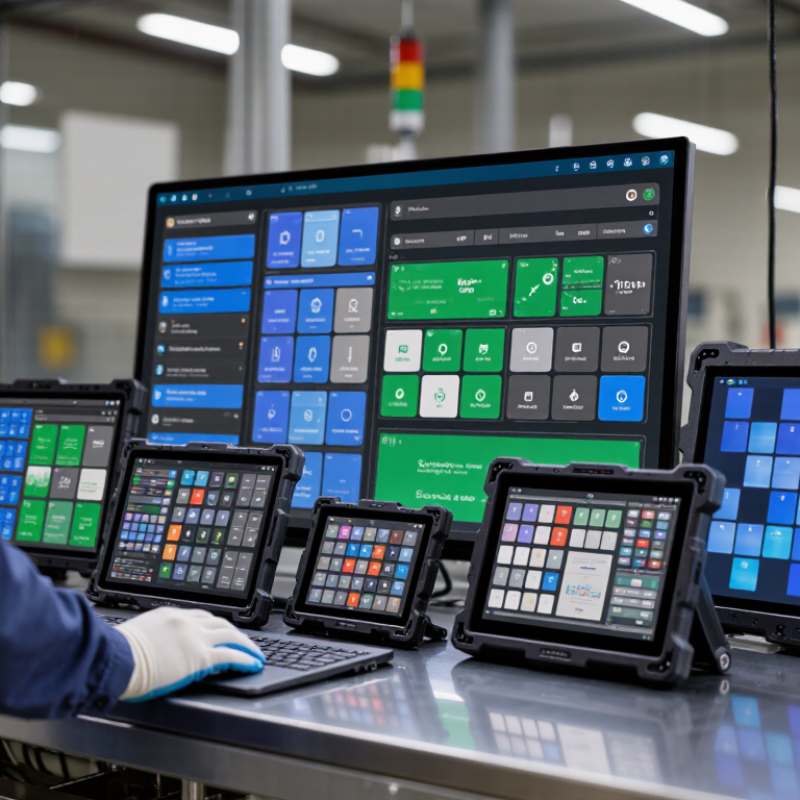
What Defines an Industrial Display Screen
What Defines an Industrial Display Screen
An industrial display screen is built for steady operation in places where ordinary consumer panels may struggle. Think of a factory floor: fine dust near a cutting station, gloves on an operator’s hands, and bright overhead lights washing out the interface. The display must remain readable and responsive under its intended conditions. “Industrial” alone does not guarantee this.
Key specifications include operating temperature range, brightness, viewing angle, touch technology, and resistance to vibration or moisture. A screen beside a sunlit loading door may need higher brightness than one inside a control cabinet. Capacitive touch can feel smooth, but it may not suit every glove or wet-hand workflow. Test the actual interface, not just the specification sheet.
Check how the panel connects to the wider system, including power input, video interface, and mounting dimensions. Confirm environmental ratings against the installation site; a rating under specific test conditions is not a promise of protection in every setup. Long service availability can matter, too, since replacing a screen may require changes to a machine’s housing or software. Small details count. I have seen selection decisions focus on brightness while overlooking cable clearance, then require awkward adjustments during installation. That is worth checking before purchase.
7 Best Industrial Display Screens for Global Buyers - What Defines an Industrial Display Screen
Industrial display screens are designed for use in equipment and demanding environments. The categories below represent common display configurations, not specific products. Specifications are typical examples and vary by model, size, and manufacturer.
| Display Type | Common Size | Typical Brightness | Touch and Surface Options | Defining Characteristics | Typical Applications |
|---|---|---|---|---|---|
| Industrial TFT-LCD | About 5–21.5 in | About 250–500 cd/m² | Non-touch or projected-capacitive/resistive touch; optional protective glass | General-purpose LCD format; available with a range of resolutions, interfaces, and mounting arrangements. | Machine controls, test equipment, and indoor operator stations |
| Sunlight-Readable Display | About 7–21.5 in | Often 800–1,500 cd/m² or higher | Touch optional; anti-glare or optical-bonding options may improve readability | Higher luminance helps counter bright ambient light; actual outdoor legibility also depends on reflection control and viewing angle. | Outdoor kiosks, vehicle systems, and equipment used near windows or in bright areas |
| Open-Frame Display | About 7–32 in | Commonly 250–1,000 cd/m², depending on configuration | Touch and front glass are often configurable | Designed for integration into a customer’s enclosure or machine; the finished system’s protection depends on the enclosure design. | Self-service terminals, gaming equipment, and machine builders’ control panels |
| Panel-Mount Industrial Monitor | About 7–24 in | Typically 250–700 cd/m² | Touch optional; front bezel and gasket options depend on the model | Front-mounted into a cutout; check the specified front-panel ingress rating and installation requirements. | Factory automation, process control, and operator interfaces |
| Rugged Mobile Display | About 5–12 in | Often 500–1,000 cd/m² | Touch commonly supported; glove and wet-touch performance varies | Compact format for mobile equipment; verify vibration, shock, temperature, and ingress specifications for the intended use. | Forklifts, agricultural machinery, logistics, and field-service equipment |
| Wide-Temperature Display | About 5–15 in | Often 300–800 cd/m² | Touch optional; check touch-controller limits separately | Selected components are specified for broader operating temperatures; the rated range is model-specific and may differ for storage and operation. | Outdoor cabinets, transportation systems, and equipment exposed to temperature variation |
| High-Brightness Outdoor Display | About 10–32 in | Often 1,000–2,500 cd/m² or more | Touch optional; anti-reflective treatments may be available | Built for high ambient light; thermal management, sealing, and UV exposure protection must be assessed at system level. | Outdoor ticketing, industrial access points, and exposed control stations |
Buyer note: Compare operating temperature, ingress protection, shock and vibration ratings, interface compatibility, power requirements, viewing angle, and lifecycle availability against the complete system’s requirements. Brightness and environmental ratings are not directly comparable unless measured and specified under the same conditions.